
Why is the web guide hunting?
Gain may be too high, the sensor may be noisy, or mechanical backlash may be present.
Home / Industrial Automation Blog
Most guiding issues can be traced to sensor setup, actuator movement, control direction, or machine mechanics.
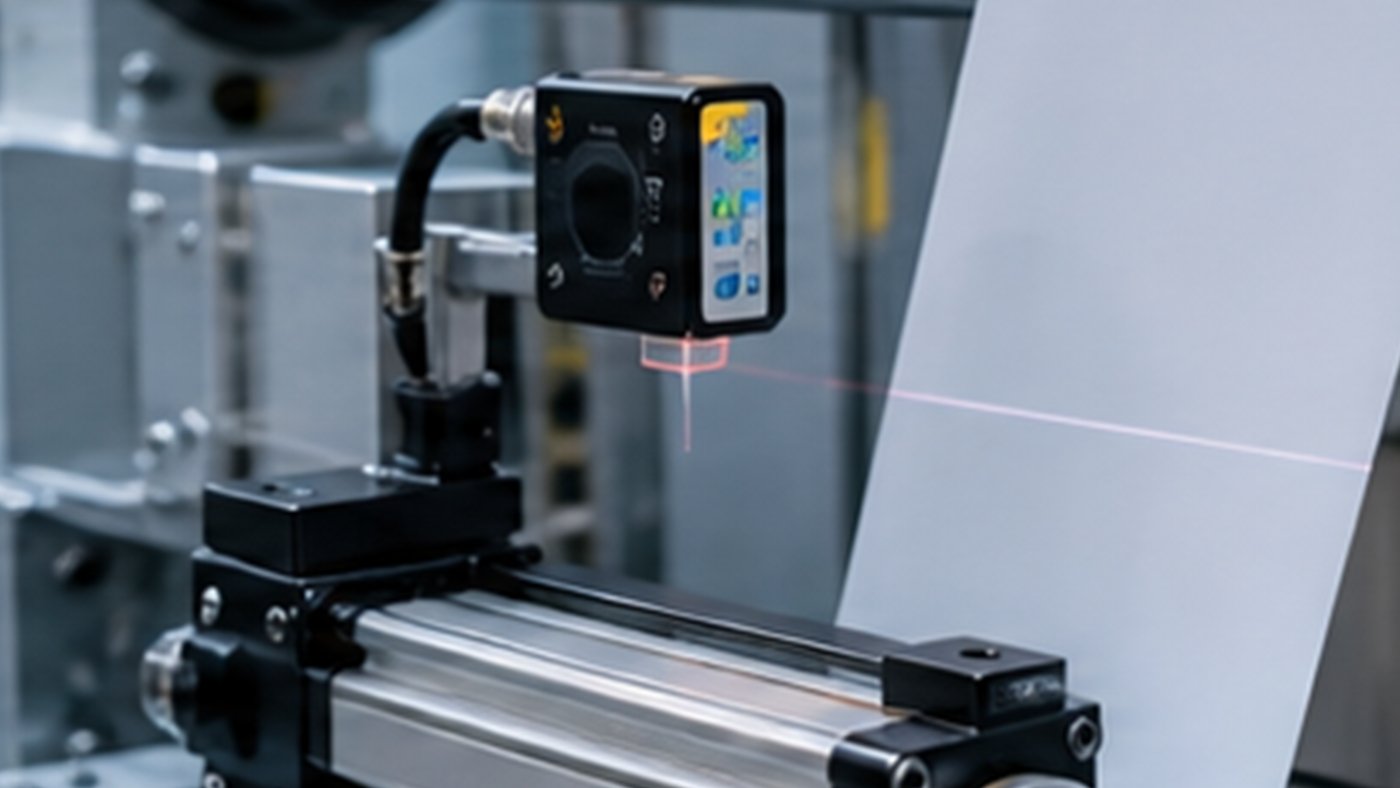
Checking sensor alignment, material contrast, actuator travel and roller geometry helps isolate web guiding problems before replacing components.
Verify sensor alignment, clean the sensing area, confirm control direction, check actuator stroke, and inspect web tension before changing controller parameters.
Gain may be too high, the sensor may be noisy, or mechanical backlash may be present.
The correction direction may be reversed in wiring or controller settings.
The material may be transparent, reflective, dusty, or outside the sensor range.
Troubleshooting should start with the basics: verify sensor signal, web path, roller alignment, actuator movement and controller mode. Many guiding problems are caused by mechanical friction, loose mounting or poor sensor placement rather than controller failure.
If the guide hunts from side to side, reduce gain or check for unstable sensor readings. If response is slow, inspect actuator stroke, guide load and mechanical binding. If the system loses the edge, confirm the sensor type is suitable for the material.
KRD Automation reviews the complete machine context before recommending components. Important details include web width, material type, line speed, control zone, available installation space, required correction accuracy and whether the project is a new OEM build or a retrofit. This approach helps avoid over-specifying one part while missing the practical limit in another part of the control loop.
For a customized recommendation, share drawings, photos or short videos of the machine section. KRD can help compare tension controllers, load cells, EPC controllers, ultrasonic or photoelectric sensors, linear actuators and integrated web guiding units for the application.
For any roll-to-roll control project, the best recommendation starts with process data. Useful information includes web width, material thickness, substrate type, line speed, roll diameter, control zone, required accuracy and the machine section where the problem appears. Photos of the web path, sensor mounting area and actuator location are often more useful than a model number alone because they show the real mechanical constraints.
It is also important to describe the defect in production language. Examples include edge wander, wrinkles after acceleration, unstable unwind tension, poor rewind hardness, hunting guide movement, sensor loss on transparent film, inconsistent slitting edge or registration drift. These symptoms help identify whether the issue is mainly sensing, control logic, actuator sizing, mechanical alignment or tension stability.
One common mistake is selecting a controller without confirming the feedback method. Another is choosing a sensor based only on catalogue type instead of testing the actual material. A third is undersizing the actuator or brake because the machine speed, roll inertia or guide load was not considered. In industrial environments, stable performance usually comes from matching the full loop: sensor, controller, actuator, mechanics and operator interface.
For North American OEM and converter projects, serviceability also matters. Wiring should be clear, calibration should be repeatable and operators should be able to understand alarm conditions quickly. A solution that is easy to install and maintain often creates more value than a more complex system that is difficult to support on the production floor.
Contact KRD when a machine requires a new tension controller, web guide controller, sensor, actuator or integrated EPC unit, or when an existing line is producing waste that appears related to web tension or lateral alignment. KRD can review the application and suggest a practical product family for printing, packaging, film, foil, label, nonwoven or lithium battery material production.
Before purchasing equipment, document the current machine condition and the expected improvement. Record where the web becomes unstable, whether the issue appears during startup or steady operation, and whether the problem changes with material, roll diameter or speed. This information helps separate a control issue from a mechanical alignment issue.
Next, confirm the installation constraints. Check the available panel space, sensor mounting distance, roller layout, actuator mounting position, cable routing and whether the machine already has PLC input or output requirements. Many successful retrofit projects depend on these mechanical and electrical details being reviewed before the product is ordered.
Finally, define how success will be measured. Examples include lower startup scrap, reduced edge trim, more consistent rewind quality, fewer web breaks, faster changeover or improved registration stability. When the success metric is clear, it is easier to choose the right level of control instead of overbuilding or underbuilding the system.
Describe the symptom and share photos of your sensor and guide frame layout.